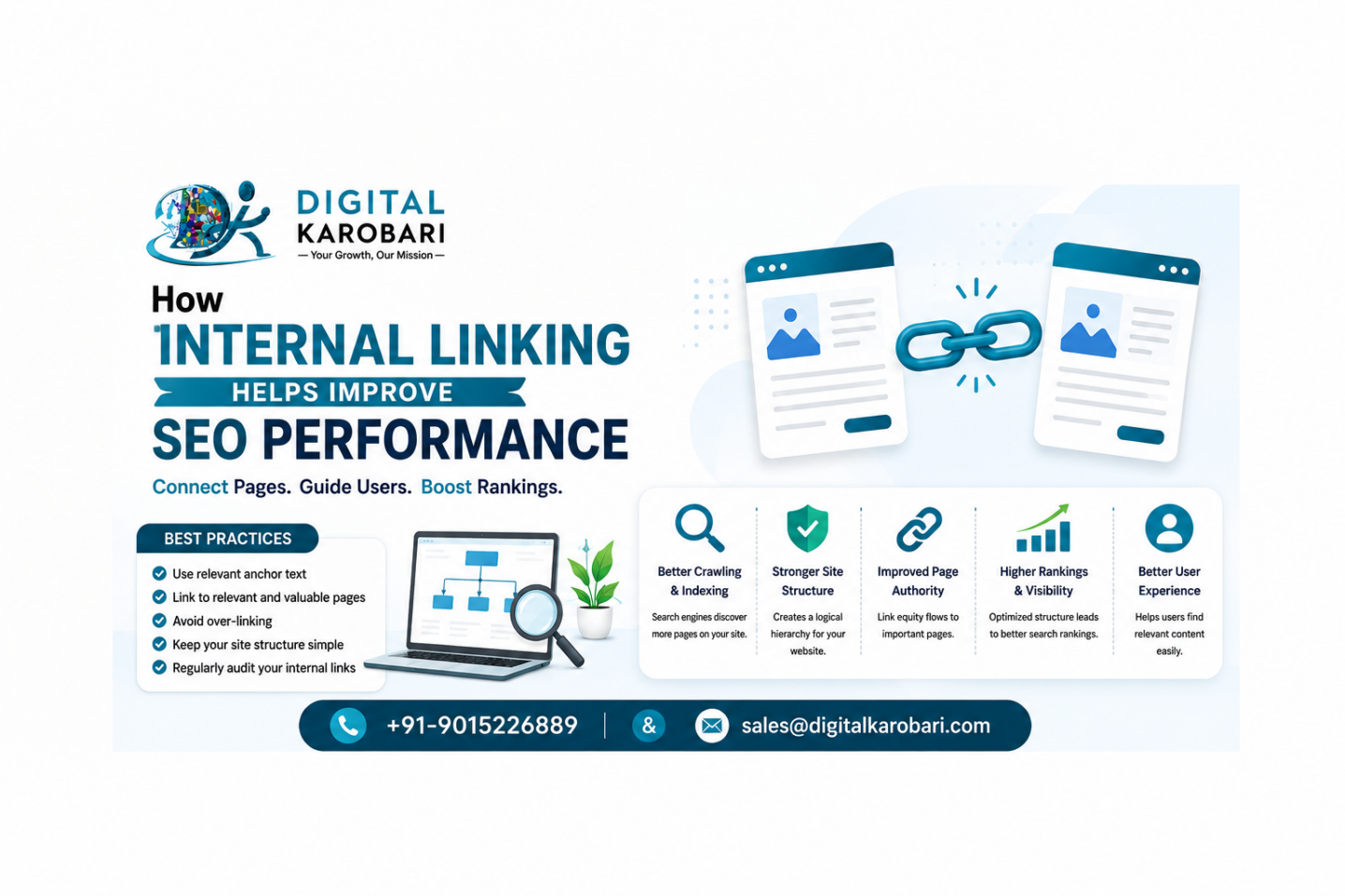
Search engine optimization (SEO) is made up of many elements, and one of the most overlooked yet highly effective techniques is internal linking. While businesses often focus on keywords, content creation, and backlinks, internal links play a crucial role in helping search engines understand your website structure while guiding users to relevant information.
A well-planned internal linking strategy not only improves your website’s visibility in search results but also enhances the user experience. At Digital Karobari, we believe that optimizing internal links is a simple yet powerful way to strengthen your overall SEO strategy and improve website performance.
What Is Internal Linking?
Internal linking refers to connecting one page of your website to another page on the same domain. These links help users navigate your website while allowing search engines such as Google to discover, crawl, and index your pages more efficiently.
For example, if you publish a blog about keyword research, you can naturally link it to another article about on-page SEO or SEO services. This creates a logical relationship between your content and encourages visitors to explore more pages.
Why Internal Linking Is Important for SEO
Internal links serve as pathways that connect your website’s content. They help search engines determine which pages are most valuable while improving the flow of authority across your site.
A strategic internal linking structure can:
Improve website crawlability
Help search engines understand page relationships
Increase the visibility of important pages
Enhance user navigation
Reduce bounce rates
Increase average session duration
Support better keyword rankings
Improves Website Crawlability
Search engine bots use links to discover new content. If important pages have no internal links pointing to them, they may take longer to be indexed or may receive less visibility in search results.
By linking related pages together, you make it easier for search engines to crawl your website efficiently and understand your site’s hierarchy.
Distributes Page Authority
Some pages naturally attract more traffic and backlinks than others. Internal links allow you to pass authority from these high-performing pages to newer or less visible pages.
This distribution of authority helps improve the ranking potential of important service pages, blogs, and landing pages.
Enhances User Experience
Visitors appreciate websites that are easy to navigate. Internal links guide users toward additional resources that answer their questions or provide more information.
Instead of leaving your website after reading one article, users are encouraged to continue exploring related content, increasing engagement and trust.
Reduces Bounce Rate
When users find relevant internal links within your content, they are more likely to visit another page rather than leaving your website immediately.
A lower bounce rate signals to search engines that users are finding value in your content, which can contribute positively to SEO performance.
Increases Time Spent on Website
The more valuable content users discover through internal links, the longer they stay on your website.
Longer session durations often indicate better user satisfaction and improve your website’s overall engagement metrics.
Helps Google Understand Content Relationships
Internal links create a content network that helps Google recognize the relationship between topics.
For example:
Main SEO Services page
On-Page SEO guide
Technical SEO article
Keyword Research blog
Local SEO tips
Together, these pages create topical authority that can improve rankings across related search queries.
Supports Keyword Optimization
Anchor text—the clickable text used in an internal link—provides context to both users and search engines.
Using descriptive anchor text naturally helps search engines understand what the linked page is about without overusing keywords.
For example:
Instead of using:
“Click Here”
Use:
“Learn more about our SEO Services.”
This provides better context and improves SEO relevance.
Improves Conversion Opportunities
Internal links can also guide visitors toward service pages, contact forms, or consultation pages.
For example, after explaining the benefits of SEO, you can direct readers to your SEO Services page where they can request a consultation or learn more about your offerings.
This creates a seamless customer journey while improving lead generation.
Best Practices for Internal Linking
To maximize SEO benefits, follow these best practices:
Link to relevant pages naturally within your content.
Use descriptive and keyword-rich anchor text.
Prioritize important service and landing pages.
Avoid excessive linking on a single page.
Update older blog posts with links to newly published content.
Ensure all important pages are reachable within a few clicks.
Regularly audit your internal links to fix broken or outdated URLs.
Common Internal Linking Mistakes to Avoid
Many websites lose SEO opportunities due to poor internal linking practices.
Avoid these common mistakes:
Using generic anchor text like “Read More.”
Linking unrelated pages.
Creating orphan pages with no internal links.
Adding too many links that overwhelm readers.
Ignoring old blog posts that could link to new content.
Leaving broken internal links unresolved.
How Digital Karobari Can Help
At Digital Karobari, we develop SEO strategies that go beyond keywords. Our experts create structured internal linking plans that improve website navigation, strengthen content authority, and enhance search engine visibility.
Whether you’re running a business website, eCommerce store, or corporate portal, our SEO specialists ensure every important page receives the visibility it deserves.
Conclusion
Internal linking is one of the simplest yet most effective SEO techniques that delivers long-term benefits. It helps search engines understand your website, improves user navigation, distributes page authority, and increases engagement metrics that contribute to better search rankings.
A strong internal linking strategy should be an essential part of every SEO campaign. By consistently connecting relevant pages and maintaining a logical website structure, businesses can improve both user experience and organic search performance.
Strengthen Your Website’s SEO with Digital Karobari
An effective internal linking strategy can improve your website’s rankings, user experience, and conversions. At Digital Karobari, we provide comprehensive SEO services, including website audits, on-page optimization, content strategy, technical SEO, and internal linking optimization to help your business achieve sustainable organic growth.
Ready to improve your website’s SEO performance? Contact Digital Karobari today for a customized SEO strategy that drives measurable results.
Company Name: Digital Karobari
🌐: https://digitalkarobari.
📞: +91-9015226889
Frequently Asked Questions (FAQs)
- What is internal linking in SEO?
Internal linking is the process of connecting one page of your website to another page within the same domain to improve navigation, user experience, and search engine crawling. - Does internal linking improve Google rankings?
Yes. Internal linking helps distribute page authority, improves crawlability, strengthens topical relevance, and can contribute to higher search engine rankings. - How many internal links should a page have?
There is no fixed number. Include links naturally where they add value and help users discover related content without overcrowding the page. - What is anchor text in internal linking?
Anchor text is the clickable text used in a hyperlink. It should clearly describe the linked page and include relevant keywords naturally. - Can internal links increase website traffic?
Yes. Internal links encourage visitors to explore more pages, improve user engagement, and help search engines index content more effectively, which can increase organic traffic. - How often should internal links be updated?
Review your internal links regularly, especially when publishing new content or updating existing pages, to keep your website well-connected and relevant.
Leave a Reply